
Traders need fast funding options to grab trading opportunities. Every detailed Quotex deposit guide highlights safe funding methods like crypto assets and local e-wallets. You can start trading quickly with simple payment steps.
This complete Quotex deposit guide explains how to fund your account smoothly. You will learn exact steps for crypto and local payment options. We also share tips to avoid common transaction delays.
Overview of Quotex Deposit Methods
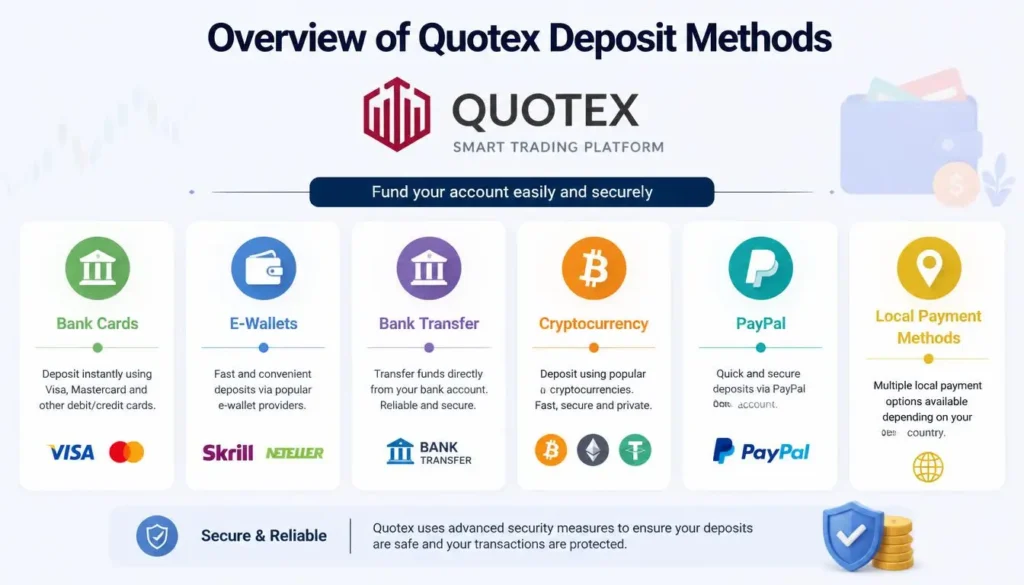
Quotex provides flexible payment options for traders around the globe. You can choose the best method based on speed and local access. The platform supports three main deposit categories:
- Cryptocurrencies: Bitcoin, USDT (TRC20/ERC20), Ethereum, LiteCoin, Solana, and Binance Pay.
- Local E-Wallets: Perfect Money, GCash, Easypaisa, JazzCash, Paytm, UPI, and BKash.
- Bank Cards & Transfers: Visa, Mastercard, and direct local bank transfers.
Each option has clear limits and fast processing times. Most deposits reach your balance within minutes.
Quotex Deposit Guide for Minimum Limits and Processing Times
Understanding deposit rules helps you plan your trades effectively. Quotex keeps entry barriers low for beginner traders.
| Payment Category | Minimum Deposit | Average Processing Time | Platform Fee |
| Cryptocurrency | $10 – $50 | Instant to 15 Minutes | $0 (Zero Fee) |
| Local E-Wallets | $10 | Instant to 5 Minutes | $0 (Zero Fee) |
| Bank Cards | $10 | Instant | $0 (Zero Fee) |
| Bank Transfers | $10 – $20 | 1 to 24 Hours | $0 (Zero Fee) |
Note: Your payment provider or wallet network may charge standard processing fees.
Step-by-Step Quotex Deposit Guide for Cryptocurrency
Crypto deposits offer strong privacy and high security. They are ideal for quick account funding worldwide.
Step 1: Open Your Deposit Section
Log into your Quotex account dashboard. Click the green Deposit button at the top right corner.
Step 2: Select Your Preferred Cryptocurrency
Choose your coin from the crypto list. Popular coins include USDT TRC20, Bitcoin, and Binance Pay. USDT TRC20 offers lower transfer fees and quick block confirmations.
Step 3: Set Your Deposit Amount
Type in the exact sum you want to deposit. Apply a deposit promo code if you have one active. Click the Deposit button to generate your payment details.
Step 4: Complete the Blockchain Transfer
Quotex displays a unique wallet address and a QR code. Open your crypto wallet app like Binance, Trust Wallet, or MetaMask. Scan the QR code or copy the address carefully. Send the exact amount using the correct network.
Crucial Tip: Always select the matching blockchain network. Sending USDT TRC20 to an ERC20 address will cause permanent loss of funds.
Step-by-Step Quotex Deposit Guide for Local E-Wallets
Local e-wallets allow instant deposits in your regional currency. This method avoids manual currency conversion hassles.
Step 1: Choose E-Wallet Option
Navigate to the Deposit menu on Quotex. Select your local e-wallet option based on your region.
Step 2: Input Amount and Promo Code
Enter your deposit amount in local currency or USD. Enter your active promotional bonus code if available. Proceed by clicking the deposit confirmation button.
Step 3: Authorize the Payment
The screen redirects you to a secure payment page. Enter your registered e-wallet account number. You will receive a One-Time Password (OTP) on your mobile phone.
Step 4: Confirm and Trade
Type the OTP code on the gateway page. Approve the transaction request inside your mobile app. Your Quotex trading account balance updates instantly.
How to Apply Deposit Promo Codes and Bonuses
Bonus codes boost your initial trading balance significantly. Quotex gives extra deposit power through promotional offers.
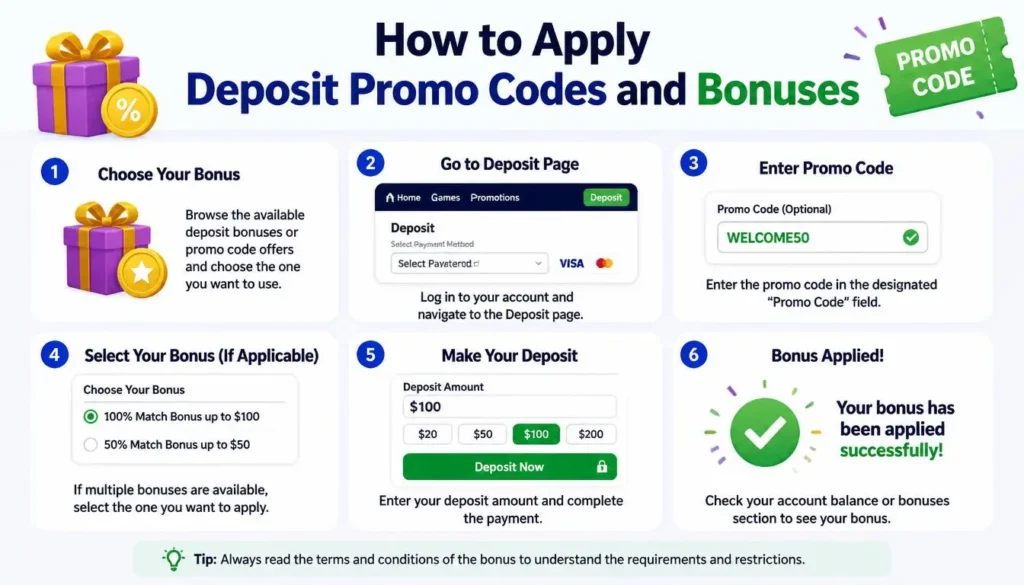
- Go to the deposit execution screen.
- Choose your preferred payment option.
- Check the box labeled “I have a promo code”.
- Paste your active deposit promo code.
- Complete the payment to receive up to 50% extra bonus balance.
Important Rules for Smooth Quotex Deposits
Following platform rules ensures fast account funding without delays. Keep these essential practices in mind:
- Use Matching Payment Accounts: Always deposit using accounts registered in your own name. Third-party deposits get blocked by compliance teams.
- Match Withdrawal Methods: Quotex routes withdrawals back to your initial deposit method. Pick a payment tool you can use long term.
- Complete Verification First: Verify your account identity before placing big deposits. Verified accounts enjoy faster payment processing times.
- Save Payment Receipts: Keep transaction IDs and payment screenshots saved safely. They help resolve payment queries quickly with customer support.
How to Fix Problems Shown in This Quotex Deposit Guide
Occasionally, payments face unexpected delays or technical glitches. You can resolve most issues with these quick steps:
1. Money Deducted But Balance Not Updated
Network congestion can cause temporary transaction delays. Wait 15 to 30 minutes for system syncing. Check your Transactions tab inside the account menu to monitor progress.
2. Failed E-Wallet Transactions
Check your mobile wallet balance and daily transfer limits. Re-check the OTP digits entered on the gateway page. Try clearing your browser cache if payment screens freeze.
3. Missing Crypto Deposits
Verify the transaction hash (TxID) on a blockchain explorer. Ensure you sent enough crypto to cover network gas fees. Contact Quotex live chat support with your TxID if confirmation takes over an hour.
FAQs
Conclusion
Following a structured Quotex deposit guide makes funding your account fast, simple, and secure. Whether you prefer crypto or local e-wallets, the platform offers instant options tailored to your needs. Always verify your wallet details and select the correct network before making transactions. Start with a comfortable deposit amount, use available bonus codes, and trade responsibly.